Install
Put Program SLX on your home screen
It runs in the browser, with no app store. From the home screen it opens full screen and keeps working without a network.
01 · Safari
iPhone and iPad
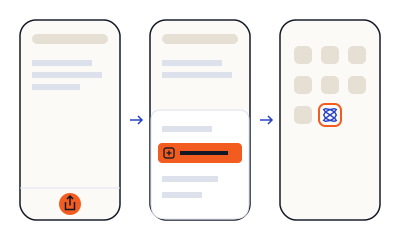
- Open play.programslx.app in Safari.
- Tap Share, the square with the up arrow.
- Tap "Add to Home Screen".
- Open Program SLX from the new icon and sign in there.
Sign in from the icon, not from Safari
The installed app and the browser keep separate sign-ins. Your Journal is the same in both once you sign in.
02 · Chrome and other browsers
Android
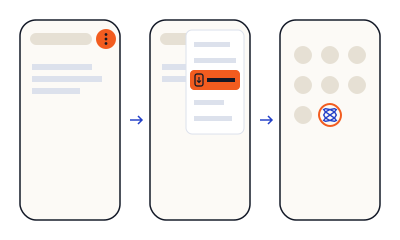
- Open play.programslx.app in your browser.
- Open the browser menu (⋮).
- Tap "Install app" or "Add to Home screen".
- Open Program SLX from the new icon.
03 · Chrome and Edge
Computer
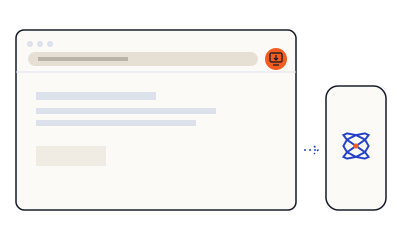
- Program SLX is made for your phone, next to the FM-1. Open it there if you can.
- On a computer, Chrome and Edge show an install button in the address bar.
You still need a computer once
Init's first Step installs SLOOP on the FM-1 from a computer: about ten minutes, with a data USB cable and the FM-1 charged.
Then start from Init.
play.programslx.appOpen the app